
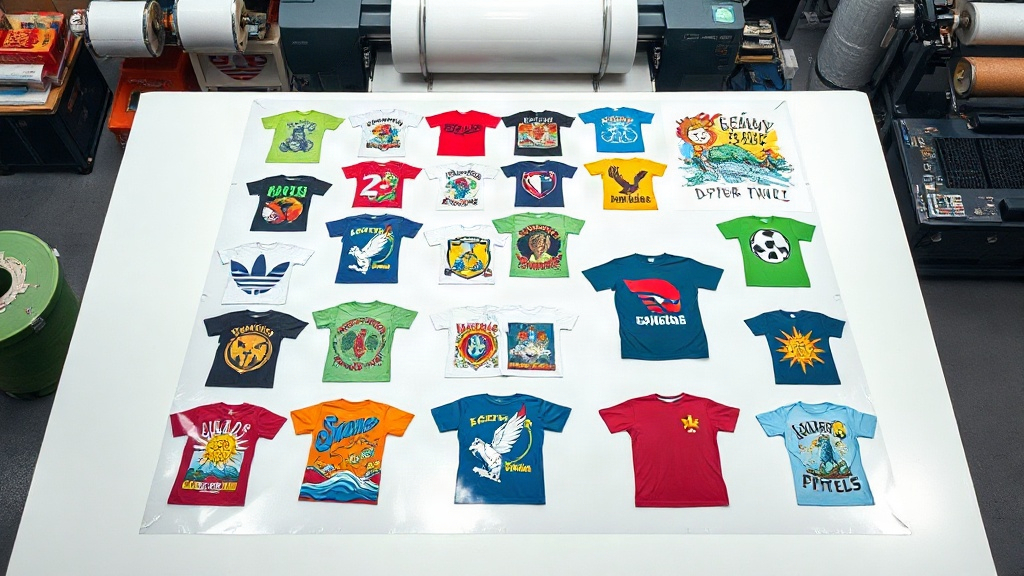
If you run a print shop or create custom apparel, you know that efficiency and cost-effectiveness are key to staying competitive. DTF (Direct to Film) printing has revolutionized the industry by allowing vibrant, detailed designs on various fabrics. But did you know that using a DTF gangsheet can take your production to the next level? In this guide, we'll explore what a DTF gangsheet is, why it's a game-changer, and how to make the most of it. Whether you're a seasoned pro or just starting, mastering gangsheets can save you time, money, and hassle.
What is a DTF Gangsheet?
A DTF gangsheet is a single sheet of transfer film that contains multiple designs printed together. Instead of printing each design individually, you arrange them on a larger canvas, maximizing the use of the film. This approach is similar to gang printing in offset printing, where multiple jobs are combined on one sheet to reduce waste and cost. With DTF printing, gangsheets allow you to produce a variety of transfers in one go, ready to be applied to t-shirts, hoodies, bags, and more.
Why Use a DTF Gangsheet?
Gangsheets offer several compelling benefits for businesses and creators. Let's break down the main advantages.
Cost Savings
Film and ink are significant expenses in DTF printing. By grouping multiple designs on one sheet, you minimize wasted space and reduce the amount of film and ink used per design. This efficiency translates directly into lower production costs. For example, if you have several small logos, placing them together on a gangsheet can cut your film usage by half compared to printing each separately.
Time Efficiency
Printing one large sheet is faster than running multiple small jobs. You set up the printer once, load the film, and print all designs in a single pass. This reduces setup time, machine wear, and labor. For print shops with tight deadlines, gangsheets can significantly increase throughput.
Consistency and Quality
When designs are printed together, they undergo the same conditions: same ink batch, same curing time, same environmental factors. This consistency ensures that colors and transfer quality are uniform across all designs. It also simplifies quality control.
How to Create a DTF Gangsheet
Creating a gangsheet involves a few key steps, from file preparation to printing. Here's a step-by-step guide to help you get started.
Step 1: Prepare Your Artwork
Ensure all designs are in a high-resolution format (300 DPI or higher) with transparent backgrounds. Vector files (AI, EPS, PDF) are ideal, but high-quality PNGs work well too. Check that colors are in CMYK or RGB as required by your printer's RIP software. Don't forget to mirror the designs if your printer requires it (most DTF printers print mirrored).
Step 2: Arrange Designs on the Canvas
Using your printer's RIP software or a dedicated gangsheet builder, import your designs and arrange them on the canvas. The canvas size should match the width of your film roll (e.g., 13", 17", 24"). Leave a small gap (about 0.1-0.2 inches) between designs to avoid overlapping during cutting. Rotate designs if needed to fit more efficiently. Aim for a layout that minimizes empty space.
Step 3: Add Registration Marks and Cutting Lines
If you plan to cut the transfers with a cutter, include registration marks and cutting lines in your file. These help the cutter align accurately. Some RIP software automatically adds these, but you can also add them manually.
Step 4: Print and Cure
Print the gangsheet onto DTF film using your DTF printer. Follow the manufacturer's settings for ink limits and pass counts. After printing, apply hot melt powder evenly, shake off excess, and cure the sheet in an oven or with a heat press. Follow the powder and film instructions for temperature and time.
Tips for Optimizing Your Gangsheet Layout
To get the most out of your gangsheet, consider these practical tips.
- Group by size and color: If you have multiple sizes of the same design, nest them together to save space. Similarly, group designs with similar color profiles to maintain consistency.
- Use nesting tools: Many RIP software offer auto-nesting features that arrange designs efficiently. If yours doesn't, do it manually.
- Leave room for trimming: If you're cutting by hand, leave enough space around each design for easy trimming. A 0.25-inch margin is usually sufficient.
- Consider the fabric: Dark fabrics require a white ink base, which uses more ink. Plan your gangsheet accordingly to avoid running out of white ink mid-print.
Common Mistakes to Avoid
Even experienced printers can make mistakes with gangsheets. Here are some pitfalls to watch out for.
- Overcrowding: Trying to fit too many designs can lead to overlapping, poor cutting, and wasted film. Leave adequate spacing.
- Forgetting to mirror: If your printer requires mirrored output, forgetting this step will result in backwards transfers.
- Inconsistent powder application: Uneven powder can cause transfers to peel or feel rough. Apply powder evenly and shake off excess thoroughly.
- Incorrect curing: Under-curing leads to wash-off; over-curing can cause discoloration. Always follow the recommended temperature and time.
When to Order Gangsheets from a Service
If you don't have a DTF printer or want to outsource, many companies offer gangsheet printing services. This is ideal for small businesses or those new to DTF. When ordering, provide your designs in a single file with clear instructions on sizing and quantities. Services like DTF Styler specialize in gangsheet printing and can handle various film widths and complex layouts. They also ensure proper curing and powder application, saving you the hassle.
Frequently Asked Questions
What file format is best for DTF gangsheets?
High-resolution PNG with transparent background is the most common and easiest to work with. Vector files like AI or PDF are also excellent because they can be scaled without quality loss. Ensure your file is at least 300 DPI at the final print size.
Can I mix different designs on one gangsheet?
Absolutely. That's the whole point of a gangsheet. You can combine any designs, as long as they fit on the canvas and are arranged efficiently. Just make sure each design is properly prepared and mirrored if needed.
How do I calculate the cost of a DTF gangsheet?
The cost depends on the film width, length, and the number of designs. Most services charge per linear inch or per sheet. To estimate, calculate the total area of your designs and compare it to the sheet area. Efficient nesting reduces waste and cost.
What is the shelf life of a DTF gangsheet transfer?
When stored properly in a cool, dry place away from direct sunlight, DTF transfers can last up to 6-12 months. After printing and powdering, they should be cured and stored in a sealed bag to prevent moisture absorption.
Can I use a DTF gangsheet on cotton and polyester?
Yes, DTF transfers adhere well to both cotton and polyester, as well as blends. They are versatile and work on dark and light fabrics. However, for stretchy fabrics, use a stretchable DTF film for best results.
Mastering the DTF gangsheet can transform your printing workflow. By grouping designs, you save time, money, and materials while maintaining high quality. Whether you print in-house or order from a service, gangsheets are a smart choice for any apparel decorator. Start experimenting with layouts today and see the difference.